
သို့ရာတွင် ၊ ဒါပေမဲ့ သူတို့က ညီအစ်ကို ညီအစ်ကို ၊ ဥပမာ ၊ ရွေးချယ်မှုကို ရွေးချယ်ခြင်းက ဝယ်မှုက ဆုံးဖြတ်ချက် မဟုတ်ပါ။
ပညာရေး ပြည်နယ် ၊ Qtenboard Interactive Displays ၊ ဥပမာ ၊
ဤ ဆောင်းပါး သည် သွန်သင် ရာ အရေးကြီး သော အချက် ငါး များ ကို နှိုင်းယှဉ် ပါ ။
မှန် ပါသည် ၊
ဒါပေမဲ့ မိသားစု ၊
Qtenboard က အသုံးပြုမှု အသုံးပြုမှု အစီအစဉ် စနစ်တွင် ပါရှိသည်။
အခြား တန်ဆာများများ လိုအပ်သည် -
ဥပမာ ၊
အချက်အလက် များ တွင် အများ စု အသုံးပြု သည့် အချက်အလက် များ တွင် အသုံးပြု ထားသည်။
Qtenboard တိုးတက်မှု ဒိုး/Mac Pen နည်းစနစ်များကို ထောက်ပံ့ပေးသည်။
ဥပမာ ၊
ဥပမာ ၊
ဥပမာ ၊
အတူတကွ အလုပ်လုပ်မှုဖြစ်သည်။
Qtenboard က ၄၀ အမှတ်အသား ၊
အဖွဲ့အစည်း လုပ်ဆောင်မှု၊ STEM လုပ်ဆောင်မှုများ၊
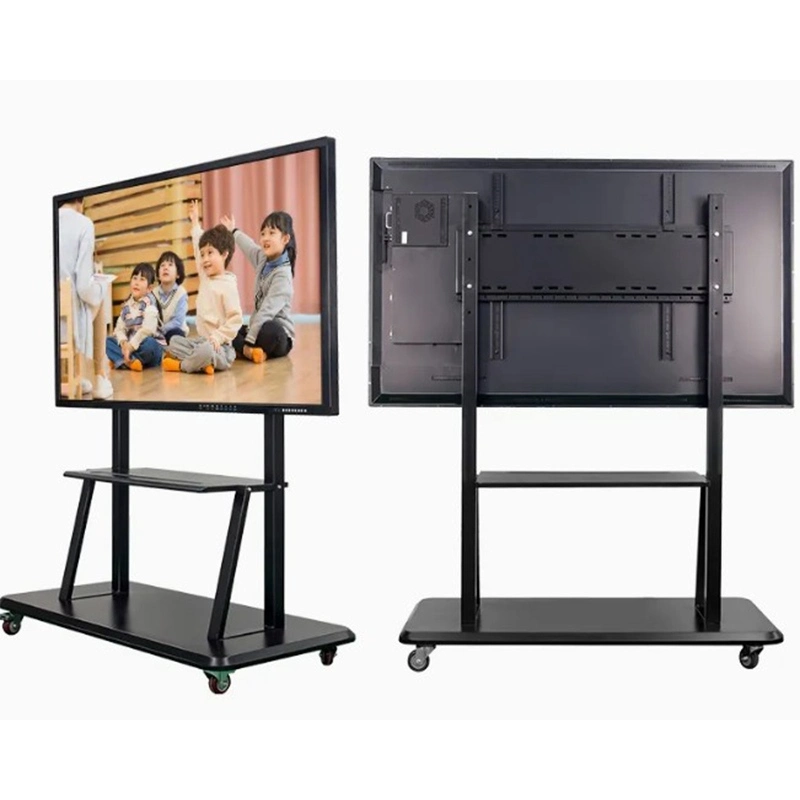
| ချိန်း | |
|---|---|
| Qtenboard ၊ | |
| အရွယ်အပါ | |
| 55'' / 65'' / 75'' / 86'' / 98'' / 105'' / 110'' | |
| မျက်နှာဖ | |
| QM-55HY / QM-65HY / QM-75HY / QM-86HY / QM-98HY / QM-98HY / QM-105HY / QM-110HY | |
| LCD သုံးစွဲချက်များ | |
| ညွှန်း | 3840 * 2160 4K ပုံစံ |
| အလင်းန် | 350 cd / m² / 400cd / m² / 450cd / m² |
| အစား | 4000: ၁ (အမျိုးအစာ.) |
| အရောင် အနက်န် | ၁.၇M(၈bit) |
| မျက်နှာဖျက်ပါ | 178 ° (H) / 178 ° (V) |
| LCD ဘဝ | ဥပမာ ၊ |
| Android ပုံစံများ | |
| CPU ဂဏန်းတွက် | ၉၉79 / ၃၅၆ / ၃၁၁D2 / V100 / ၃၅၈၈ |
| Android OS | Android 14.0 |
| ရာန် | ၄၂ G |
| WIFI | 2.4G & 5G |
| Bluetooth | 5.2 |
| မျက်နှာချက် | ထောက်ပံ့မည် |
| အလိုအလျောက် ပုံစံ | ထောက်ပံ့မည် |
| Touch မျက်နှာဖျက်ဆီးမှုများ | |
| သို့တွက် အမျိုးအစား | Infrared touch သုည ခြား ဆက်ဆံမှု ချည်နှောင်မှုကို ဆက်သွယ်ပါ |
| တက်ခွက် | ၂၀ ၀၀ အမှတ်ပ် |
| သို့ရာတွင် အမြင့် | ၁ mirm |
| ကင်မရာမဲ | |
| ကင်မရာနှင့် mic | ၄၈00MP ရွေးချယ် (Array Mic) |
| ခေါ်ဝေါ် | |
| စကားပြောစက် | 20W *2 |
| တန်ဆာပလာမှု ချိန် | ≤ 0.5W |
| ပေါက်ကွက်ပြု | AC100V-240V,50-60 Hz |
| ဥပမာ ၊ | |
| ဥပမာ ၊ | 0℃ ~40℃ |
| ဥပမာ ၊ | ၂၀၀၀ ~ ၈၈% (နံဆိန် မဟုတ်) |
| Storage tempurature | -10℃ ~ 60℃ |
| ဆင်ခြင်း | ၁၀၀ |
| ထည့်သွင်း/ထွက်ဝှက်ခြင်း | |
| Type-B 2.0, Type-C, HDMI in, HDMI out, USB, USB, DP, VGA, TF Card, MIC, RJ45 in, RJ45 out, RS232 | |
အချက်အလက်များ အတွက် အပြည့်အစုံ ဖြစ်ခဲ့သည် -
ဥပမာ ၊
အများအပြားလုံး အခြေခံ လုပ်ဆောင်မှုများကိုသာပေးနိုင်သည်။
ဥပမာ ၊
"Android စနစ်" ဟု ဆိုသည် ။
Qtenboard ထောက်ပံ့မှု -
EDLA အသိအမှတ်ပြုလွှာ
Qtenboard က ကောင်းကင်တမန် အပြည့်အစုံ၊ အနာဂတ် အသင့်အတွက် ပြင်ဆင်ခြင်း၊
Qtenboard က ဒီဇိုင်း ဒီဇင်ဘာလ သင်ယူမှု အတွက် လှုပ်ရှားမှု အတွက် လှုပ်ရှားမှု တစ်ခုခုဖြစ်သည်။
ပုံစံ အသေးစိတ်အချက် များကို ဖတ်ပြီး အလုပ်လုပ်မှုများ နှင့် အမှန် လုပ်ဆောင်မှု အကြောင်း သင်ယူရန် ကလစ်ပါ
📖ပုံစံဖတ်ရန်
 BUR
BUR
 EN
EN  MAY
MAY  TH
TH  CHT
CHT  ID
ID  FIL
FIL  HKM
HKM  LAO
LAO  SIN
SIN  VIE
VIE