Interactive Whiteboard News

What is a Smart Board Interactive Whiteboard?

2025-12-23


Interactive whiteboards have transformed the way we collaborate, teach, and present information. These devices, also known as smart boards or digital whiteboards, have become essential tools in modern classrooms, corporate offices, and hybrid work environments. With Qtenboard interactive whiteboards, users can write, draw, annotate, and share content in real time, making collaboration more dynamic and effective.

In 2025, interactive whiteboards are not just a luxury; they are an investment in productivity, creativity, and engagement. Whether you are an educator, a business professional, or a hybrid worker, understanding the capabilities, cost, and applications of interactive whiteboards is crucial. Qtenboard provides solutions that combine high-quality hardware, advanced software, and AI-driven features to deliver unmatched performance and reliability.

What is an Interactive Whiteboard?

An interactive whiteboard is a large-format, touch-sensitive display that allows users to interact with digital content directly on the screen. Unlike traditional whiteboards, interactive whiteboards offer capabilities such as multi-touch input, handwriting recognition, digital annotation, and seamless integration with other devices like laptops, tablets, and smartphones.

Qtenboard interactive whiteboards stand out in this category by offering smooth touch response, advanced stylus support, and cloud integration. Users can draw, write, highlight, and manipulate digital content while simultaneously collaborating with remote participants, making Qtenboard ideal for classrooms, corporate meetings, and hybrid workshops.

Interactive whiteboards are sometimes referred to by other names, including:

  • Smart board
  • Digital whiteboard
  • Interactive flat panel display (IFPD)
  • Touch screen display

No matter the terminology, the purpose remains the same: to enhance collaboration, engagement, and productivity.

Key Benefits of Qtenboard Interactive Whiteboards

1. Enhanced Collaboration

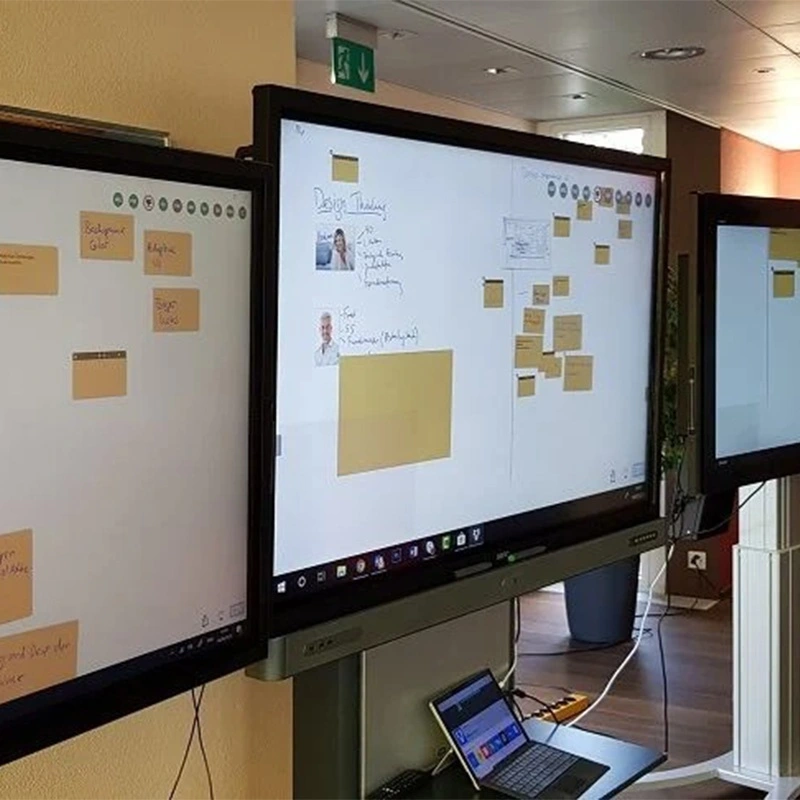
Qtenboard interactive whiteboards allow multiple users to interact with the display simultaneously. In classrooms, teachers can involve every student, while in business settings, team members can co-create, annotate, and brainstorm in real time. The ability to collaborate remotely ensures that all participants, regardless of location, contribute equally.

2. Hybrid Learning and Work

The rise of hybrid classrooms and remote work has increased the demand for interactive whiteboards. Qtenboard devices support video conferencing platforms like Zoom, Microsoft Teams, and Google Meet, allowing remote participants to interact with the board, annotate content, and contribute ideas just like in-person attendees.

3. AI-Powered Features

Qtenboard interactive whiteboards include AI-driven functionalities such as automated transcription, smart annotations, handwriting-to-text conversion, and real-time collaborative suggestions. These features improve productivity, ensure accurate records, and simplify content sharing.

4. Cloud Integration

All Qtenboard interactive whiteboards connect seamlessly to cloud storage services such as Google Drive, OneDrive, Dropbox, and FTP servers. Users can save their sessions, access files across devices, and continue work without interruptions. Cloud connectivity also ensures that meetings and classroom sessions can be recorded and revisited anytime.

How Interactive Whiteboards Work

Qtenboard interactive whiteboards combine advanced hardware, software, and connectivity to create a fully interactive experience. The devices typically include:

  • Multi-touch displays: Supports simultaneous input from multiple users, enhancing collaborative work.
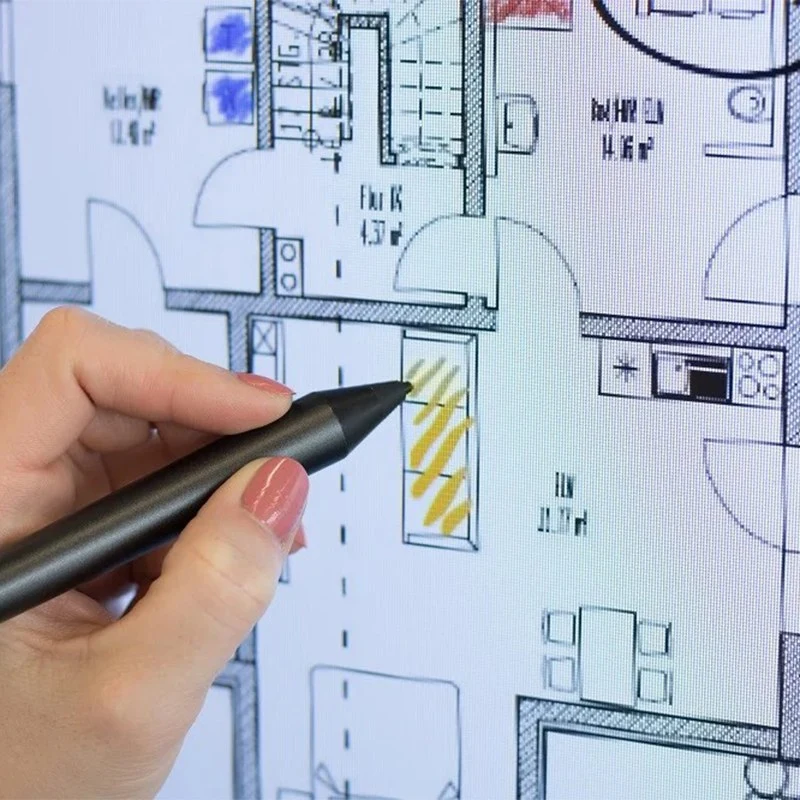
  • Stylus and pen support: Active and passive pens allow precise writing and drawing on the screen.
  • Handwriting recognition: Converts handwritten notes into editable digital text.
  • Connectivity options: HDMI, USB-C, Miracast, and wireless options ensure seamless integration with laptops, tablets, and other devices.
  • Embedded computing: Android-based or OPS modules provide on-board computing power for software and apps.

These features enable users to write, annotate, draw, and manipulate content directly on the board, replacing traditional projectors and whiteboards while offering far more functionality.

What is a Smart Board Interactive Whiteboard?

Important Features to Consider

Screen Size and Resolution

Choosing the right size depends on the room and intended use. Qtenboard interactive whiteboards range from 55 inches to 110 inches, with 4K resolution standard for sharp visuals and clear text. Larger boards are ideal for lecture halls, boardrooms, and collaborative spaces.

Touch Technology

Projected capacitive touch technology ensures accurate, fast, and smooth multi-touch input. Qtenboard boards support up to 20 simultaneous touch points, enabling multiple users to interact at the same time without lag or ghosting.

Stylus Technology

Qtenboard interactive whiteboards support both active and passive styluses. Active pens offer features like pressure sensitivity, customizable buttons, and electronic erasers, while passive pens are battery-free and simple to use. This flexibility ensures users can choose the input method that best fits their workflow.

Software Ecosystem

The software that powers an interactive whiteboard is as important as the hardware. Qtenboard interactive whiteboards come with advanced whiteboard applications, templates, collaboration tools, and AI features that enhance engagement and productivity.

What is a Smart Board Interactive Whiteboard?

Use Cases for Qtenboard Interactive Whiteboards

ဥပမာ ၊

Qtenboard interactive whiteboards improve learning outcomes by engaging students in multiple ways: Visual learners benefit from clear, high-resolution displays; auditory learners benefit from integrated audio features; kinesthetic learners interact with the board using stylus or touch input. Teachers can conduct hybrid classrooms, capture student work digitally, and share sessions for later review.

Business and Corporate

In the workplace, Qtenboard interactive whiteboards enhance project planning, client workshops, presentations, and remote collaboration. Teams annotate workflows, track deadlines, brainstorm with clients, and work on a shared canvas regardless of location.

Creative Industries

Designers, architects, and marketing teams can brainstorm, sketch, and iterate ideas on Qtenboard interactive whiteboards, ensuring everyone’s ideas are captured in real time.

Qtenboard Pricing and Value

The cost of an interactive whiteboard depends on size, configuration, and software features. Qtenboard offers competitive pricing tailored to different needs, ensuring organizations get high performance without unnecessary costs. While larger boards with advanced features are higher-priced, the value derived from enhanced collaboration, AI capabilities, and cloud integration far outweighs the initial investment.

Installation, Maintenance, and Support

  • Remote firmware and software upgrades
  • One-year warranty covering hardware and software issues
  • ၂၄/၇ စီမံက်
  • Training and setup assistance for educators and businesses

This ensures a long-lasting, trouble-free interactive whiteboard experience, maximizing the return on investment.

Conclusion

Qtenboard interactive whiteboards are a strategic investment for classrooms and offices in 2025. They combine high-quality hardware, advanced touch and stylus support, AI-driven productivity tools, and seamless cloud integration. With Qtenboard, users enjoy enhanced collaboration, hybrid learning capabilities, and innovative solutions for remote teamwork.

Whether for education, corporate meetings, or creative projects, Qtenboard interactive whiteboards offer unmatched value, reliability, and performance.

Click to read the product details and learn about its functional features and actual performance.

📖 Read Product

အိမ်း Whatsapp စာရင်းမှတ် ဥပမာ ၊